The AI bookmark manager
that organizes itself.
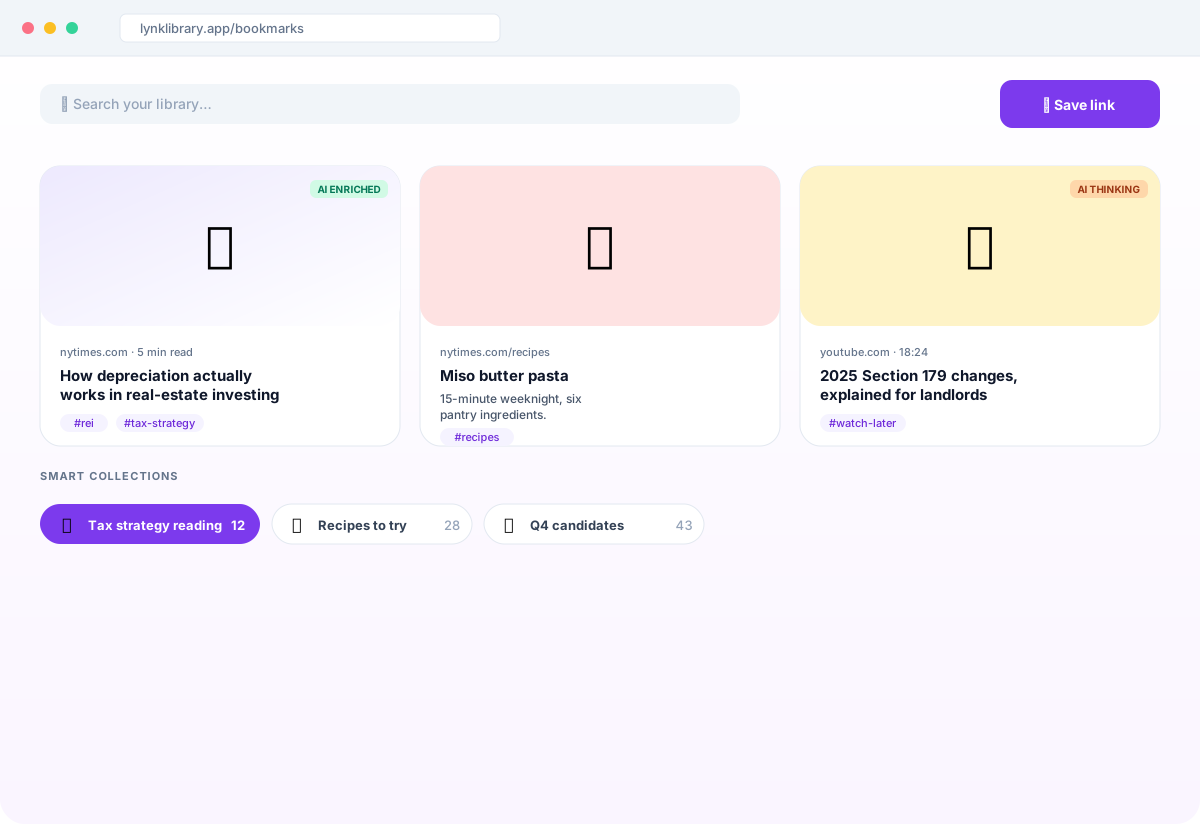
Save any link. Claude writes the summary, picks the tags, and files it — automatically. Search by keyword or by meaning, on web, iOS, and Android.
No ads · No AI training on your saves · Export to CSV anytime
Built by a developer who saved 12,000 links and couldn't find any of them. Lynk Library is a solo project, made in public. I read every signup, every bug report, and every feature request — and I ship fixes the same week.
— Erick Castillo, founder
It writes the summary so you don't have to.
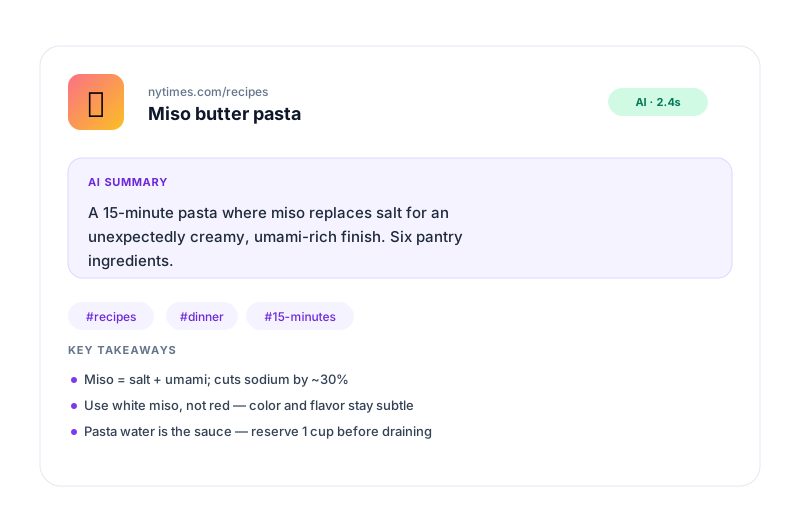
Save a URL. Claude reads the page and returns a short summary, smart tags, and a content type — usually in a few seconds. You can edit the summary by hand and your edit stays pinned even when AI re-runs.
- ✓ Auto-summary + tags on every save
- ✓ Per-platform rich previews (YouTube, Instagram, X, TikTok, Reddit, GitHub, & more)
- ✓ Edit anything by hand — your edits survive re-enrichment
Save on your phone. Find it on your laptop.
Native iOS and Android apps share the same library as the web. Save from any app via the system share sheet, find it on your laptop a week later. Pull to refresh, swipe to share — all the gestures you expect.
- ✓ Native iOS + Android, plus a fast web app
- ✓ Swipe-to-share opens your phone's native share sheet
- ✓ Tap any bookmark to share with a clean public URL
Group things without lifting a finger.
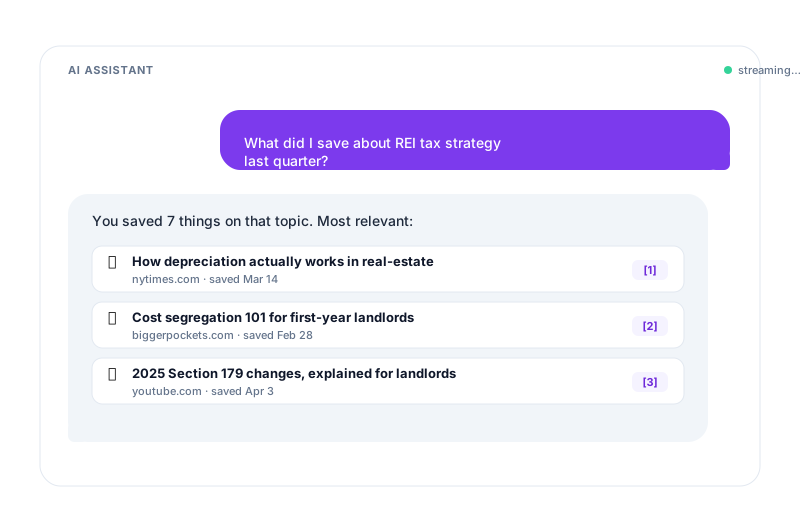
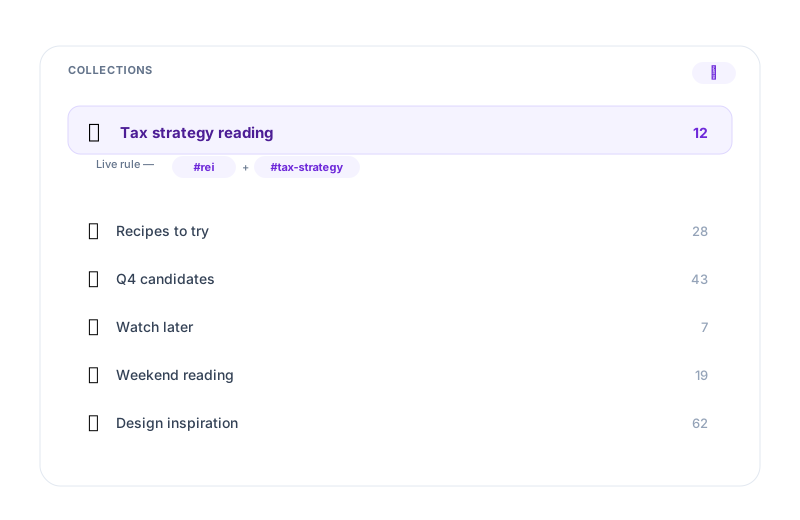
Define a collection by rule — "everything tagged #rei + #tax-strategy" — and it stays curated automatically as you save new links. Or pin bookmarks manually when you want full control.
- ✓ Live rules: tag, search, favorite, or "unfiled"
- ✓ Manual pinning on top of rule matches
- ✓ Sidebar badge shows the current match count
Every feature you'll actually use.
No bloat. Just the bookmarking workflow done well.
AI summary on every save
2–3 sentences plus 3–5 tags, written by Claude. Edit anything by hand and your edit stays.
Search that gets it
Full-text on every plan. Semantic ("by meaning") search on Pro for when you can't remember the keyword.
Smart collections
Rule-based saved searches — they re-evaluate as you save new links. Manual pins on top.
Native mobile apps
iOS and Android. Pull-to-refresh, swipe-to-share, system share sheet on tap.
Share publicly
One click publishes a bookmark to a clean URL. Recipients can save it to their own library.
Custom covers
Upload your own thumbnail. Auto-extracted covers from YouTube, Instagram, Reddit, & more for the rest.
How it works
Three steps. Save now, find later.
Save
Paste a URL in the web app, or use the mobile share sheet from any app on iOS / Android.
AI enriches
Claude reads the page, writes a summary, picks tags, and identifies the content type. The card updates without a reload.
Find later
Search by keyword on any plan. Pro adds semantic search — find by what you remember about it.
For people who save 50 articles a week and read 5.
If you've ever opened a link, thought "I'll read this later," and never seen it again — Lynk Library is for you. Claude makes "later" actually mean later: every save gets a summary so future-you can skim ten bookmarks in the time it used to take to remember why you saved one.
Also used by creators for inspiration boards, recruiters for candidate lists, and consultants for market research.
Common questions
Can I import my bookmarks from Pocket? +
Is Lynk Library free? +
What happens to my data if I cancel? +
Will this work if I already have 10,000 bookmarks? +
Do you train AI on my saves? +
How fast does the AI run? +
Can I keep a custom summary or cover? +
Save your first link in 30 seconds.
Free forever. No card required. Export to CSV anytime.
Create your accountNo ads. No AI training on your saves. Your data stays yours.